

Book Front Matter Elements
Every book has front matter elements. You know you need a title page and copyright page, but what about the rest? You can ace it using our guide.

In October 2026, the website BookDesignMadeSimple.com (founded by Fiona Raven and Glenna Collett) will be closing, and their co-written book will no longer be available for purchase.
While this is incredibly sad news, Fiona and Glenna have generously allowed me to archive their blog posts on Hadley House to avoid having them disappear with their website. You can find all of their archived posts here.
Fiona and Glenna have made a huge impact on my life, teaching me so much about book design and giving me the hope, motivation, and confidence to succeed in this field. I am eternally grateful. It is an honor to learn from them. I think you will feel the same <3
This is an archived post from Book Design Made Simple.
Originally Published: July 8, 2019
By: Glenna Collett
Every book has front matter elements. A title page and a copyright page are absolutely essential. But many manuscripts have arrived at our desks with a jumble of other pages that are misnamed, out of order, or sometimes simply puzzling. So I’m going to straighten this out for all you indie authors and publishers, because a professional-looking front matter is the best beginning for any book.

Over the centuries, countless bookmaking traditions have developed and we’ve all become used to front matter elements being presented in a certain way. So first I’ll show you the usual order of things. Then I’ll explain what each one consists of.
The usual order of book front matter elements
As we mentioned, there’s a well established order for the types of pages that appear at the very beginning of books, but it’s somewhat flexible. Some publishers like to put the Contents before the Preface and some like it after. Others like to put Acknowledgments at the end of the book. But in this piece we’ll stick with the order we suggest in Book Design Made Simple, and add a few less common elements just so we include every little thing.
The elements: What belongs (and what doesn’t) on each page
Let’s take them in order. Remember that, aside from the title page and copyright page, they’re all optional. Nevertheless, some of the optional ones will probably be essential for your book.
Half (or “bastard”) title page
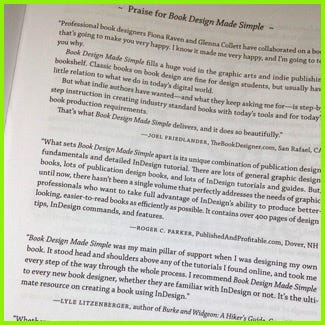
This is the very first page. The only thing on it should be the main title of your book. Period.
However, you may place quotes from reviewers on the first pages of your book. Then insert your half title, always on a right-hand (recto) page.
Frontispiece
A frontispiece is an illustration that relates to the entire book. It can be a repeat of one that’s in the story, or it can be designed especially for this page. A few publishers use a company-related frontispiece in all of their books. Place it on the verso page opposite the title page.
Title page
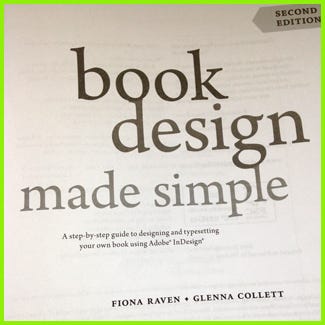
The title and the copyright pages are by far the most essential front matter pages. The title page displays the official data about the book. Do not add anything else, aside from possibly a small illustration or an unobtrusive background pattern. An exception can be made for a picture book, which might include a 2-page illustration that effectively combines a frontispiece with the title page. Include:
book title
book subtitle
edition (but not if it’s the first edition)
author(s) (without the word “by”)
author affiliation(s), if any (usually a university or relevant research organization)
publisher
publisher’s location (city only, not the street address)
Copyright page
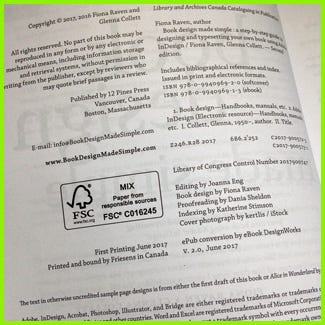
The copyright page is so vitally important that we’ve already written about it more than once. Please refer to:
Your copyright page: everything you need to know
(including a copyright page template in Word format)
and
Your book needs CIP data—here’s why
Please note that in picture books the copyright notice often appears on the very last page.
Dedication
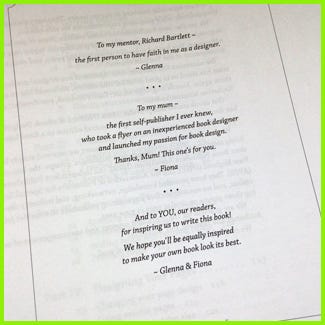
Here’s where you show your love for one or more friends or family members. Do not list the people who helped you create the book—they belong in the Acknowledgments.
Do not put a “Dedication” heading at the top of the page.
Do not say “This book is dedicated to Robin” (using Robin as an example). Simply say “For Robin” and leave it at that.
Epigraph
What is this? It’s a quote from another work that sums up or enhances what you’re communicating in your book. Be sure to include the writer’s name and the work you’re quoting from. If the book is still protected by a copyright, get permission!
Or you may place the epigraph later if the front matter is long. For instance, you could put it just before the start of the main text (or just before the second half title if you’re using one) for maximum impact.
Contents
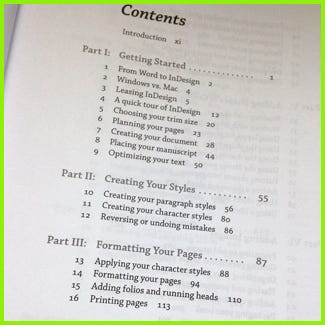
Nonfiction books and anthologies need a table of contents to list the chapters or articles. Some fiction authors want a table of contents, too; we leave this up to you. (We have met authors who are confused about the difference between the Contents and the Index. They are not the same.)
The heading on this page should read “Contents,” not “Table of Contents.”
Also list the Acknowledgments, Foreword, and Preface if they appear after the Contents section.
Other contents
If your book has lots of maps or important illustrations that you want readers to refer to, this is the place to list them. Use a clear heading such as “List of Maps.”
Acknowledgments
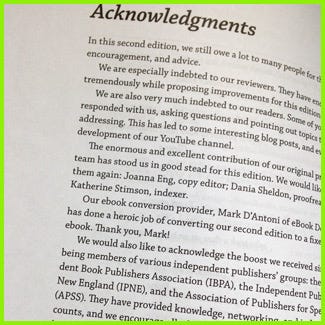
Here is where you thank your team members. (Remember, this is not a dedication.) Feel free to wax lyrical about all the help you received, but try not to go on for more than two pages. The Acknowledgments can also be included as a separate section inside the Preface.
Don’t include your list of credits for images or text quotations in the Acknowledgments. Start them on the copyright page, then add a separate Credits section in the back matter if necessary. (Refer to our copyright page article for more details on this.)
Many publishers and authors like to put Acknowledgments in the back matter, and that’s just fine.
Foreword
The Foreword is written by someone who is not the author. The purpose is to show input from an expert on your topic or genre (and this is generally not your loving mom).
And please note the spelling! I can’t tell you how many times I’ve seen it spelled “Forward” in manuscripts.
Preface
The Preface details why you wrote the book, your research methods, and other information of interest to a close reader.
You may include your Acknowledgments at the end of the Preface if you like.
Second half title page
This is an exact duplicate of the first half title page. More and more publishers are leaving this page out these days. Possibly they see it as a waste of paper; nevertheless, it will bring a feeling of importance to your work.
Be sure to leave a blank verso page after this one because the next right-hand page will be page 1.
Introduction
Strictly speaking, the Introduction is not part of the book front matter at all. In most cases, it should appear after all of the other front matter sections, and should begin on page 1 (arabic numeral).
In the Introduction you explain the usefulness of the book for your audience(s) and, in some cases, how to use it. The information should be vital to the enjoyment or usefulness of this book. Be sure you really need this section; you may have already incorporated much of this information in the Preface or the first couple of chapters.
…
A note about the Foreword, Preface, and Introduction: Avoid using all three! Rethink. Consolidate. Because who wants to read that much STUFF before they even get to Chapter 1?
Page numbering for book front matter
Normally, every front matter element except the frontispiece and copyright page should appear, or begin, on a right-hand (recto) page. And even though most of the pages do not show a page number (folio), they’re all counted in lowercase roman numerals. But you knew that, right?
Some publishers like to begin showing the lowercase page numbers on the first page of the Contents. Others prefer unseen (called “blind”) folios throughout the front matter. In my opinion, if the front matter is short, blind folios are fine, but if the Contents is longer than two pages and is followed by a Preface and more, show those page numbers, with the exceptions listed below.
Never show a folio or running head/foot on any of the following pages:
Half title pages
Frontispiece
Title page
Copyright page
Dedication
Epigraph
Blank pages
In case you need design or InDesign help, Book Design Made Simple includes several chapters on this topic:
Adding folios and running heads (chapter 15)
Designing folios and running heads (chapter 27)
Designing your front matter (chapter 28), which includes instructions on using separate front matter and main text page numbering systems
Always end the front matter on a verso page, even if it is blank, because page 1, which is a recto page, will follow immediately after. If you’re starting your main text with a 2-page part opening spread, the verso page of the spread will be the final page of the front matter, and the recto page will be page 1.
If you’re wondering how to accomplish this in InDesign, we made a video just for you.
A note about numbering front matter pages in ebooks
In an ebook you don’t need to worry about starting every front matter section on a right-hand page. In fact, blank pages will probably only serve to confuse the reader.
So if you’re doing both a print and an ebook version, always produce the print book InDesign file first, then save the file again, with a new name, for your ebook. Delete all the blank pages, then also delete all the folios and running heads. Your text is going to flow from page to page on the ebook reader, completely outside of your control for the most part. Discuss with your ebook conversion provider about where you want forced page breaks: before each front matter section and before chapter opener pages are the most common examples.
We hope this article has helped you understand and distinguish among these often confusing elements so you can perfect your book’s front matter.